Getting Started
Connect inbox and store
Link email and ecommerce context so agents can resolve full customer issues in one flow.
Samdesk execution pattern
Use this checklist for consistent case execution:
- Define owner and expected outcome before taking action.
- Work in fixed sequence: triage -> action -> validation -> follow-up.
- Log key decisions briefly so handoffs and escalations stay clean.
Goal
Agents should see order context alongside conversation history without switching tools.
Step 1: Connect inbox
- Open
Inboxes. - Create or edit your support inbox.
- Run IMAP/SMTP checks and save.
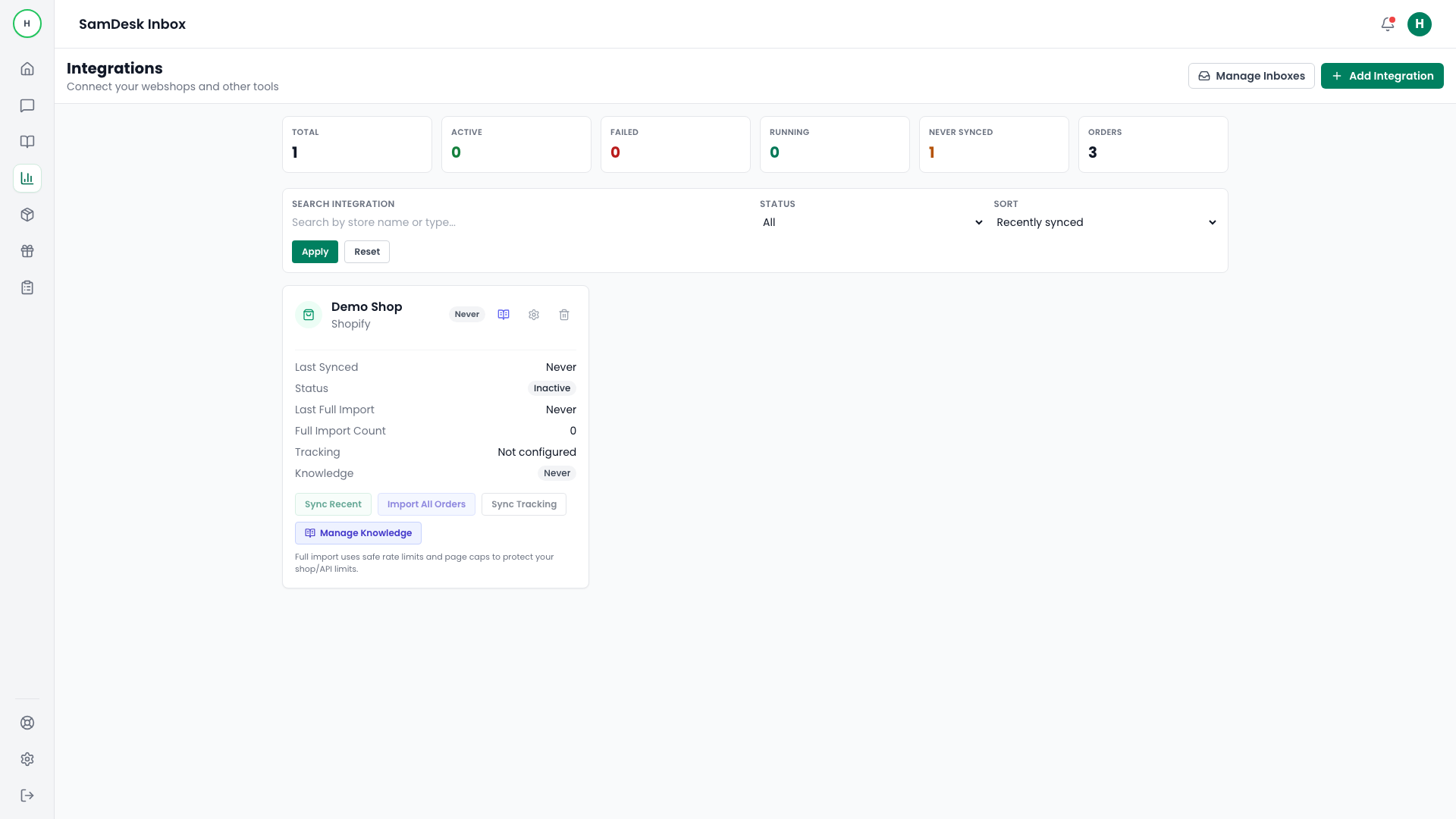
Step 2: Connect store integration
- Open
Integrations. - Add Shopify or WooCommerce.
- Run
Sync RecentorImport All Orders.
Step 3: Verify in conversation view
- Confirm contact/order cards appear in thread context.
- Confirm
last_sync_statusis healthy. - Validate tracking data on at least one order.