Getting Started
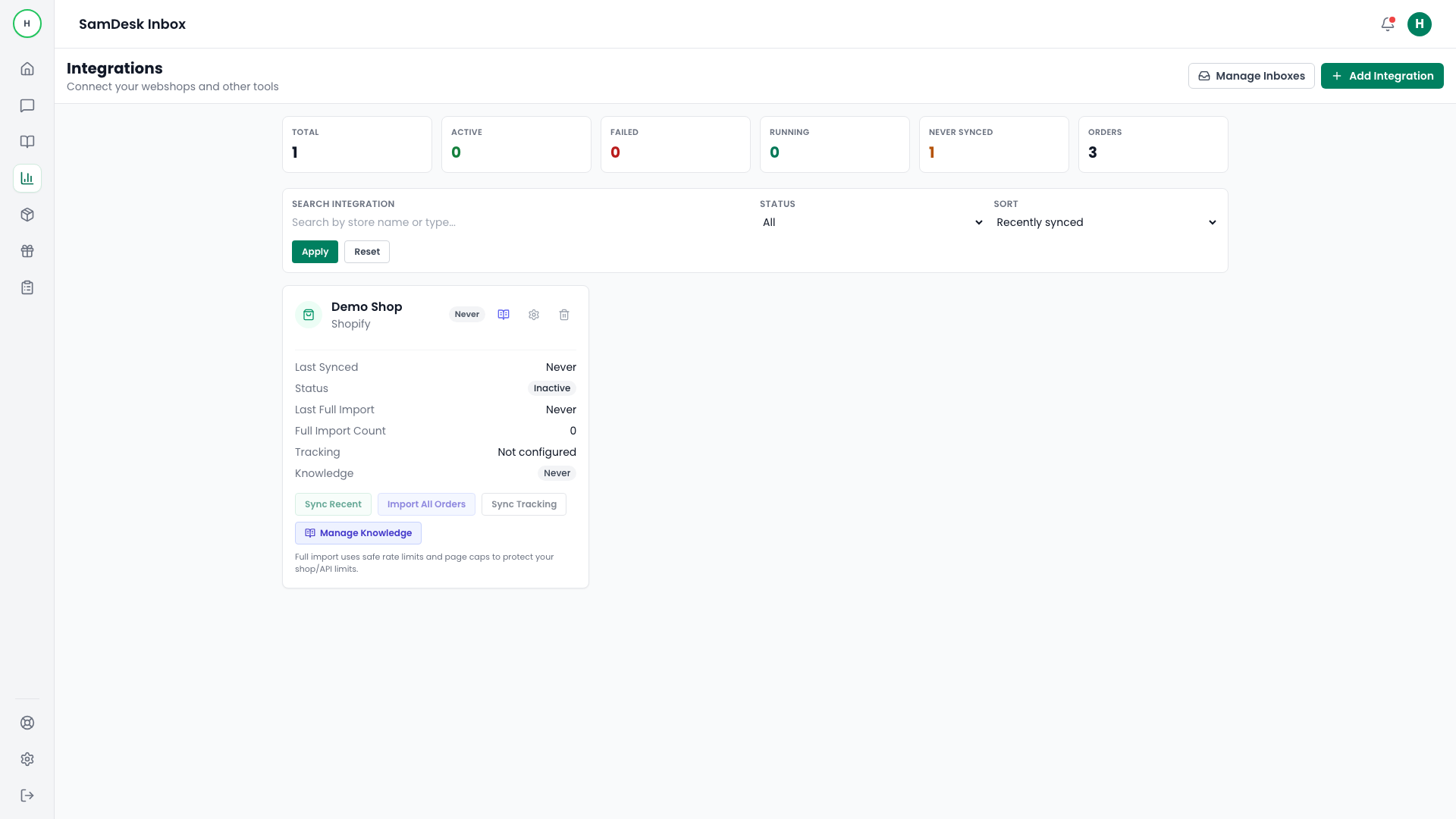
Run your first order sync
Import initial order data so agents can answer with full context from day one.
Samdesk execution pattern
Use this checklist for consistent case execution:
- Define owner and expected outcome before taking action.
- Work in fixed sequence: triage -> action -> validation -> follow-up.
- Log key decisions briefly so handoffs and escalations stay clean.
Goal
Expose order context in conversation view immediately after setup.
Steps
- Open
Integrations. - Select the connected store.
- Run
Sync Recentfirst. - Check
last_sync_statusandlast_sync_summary. - Run
Import All Ordersif historical coverage is required.
KPI check
- At least one order is visible in contact context.
- No persistent sync error in integration card.