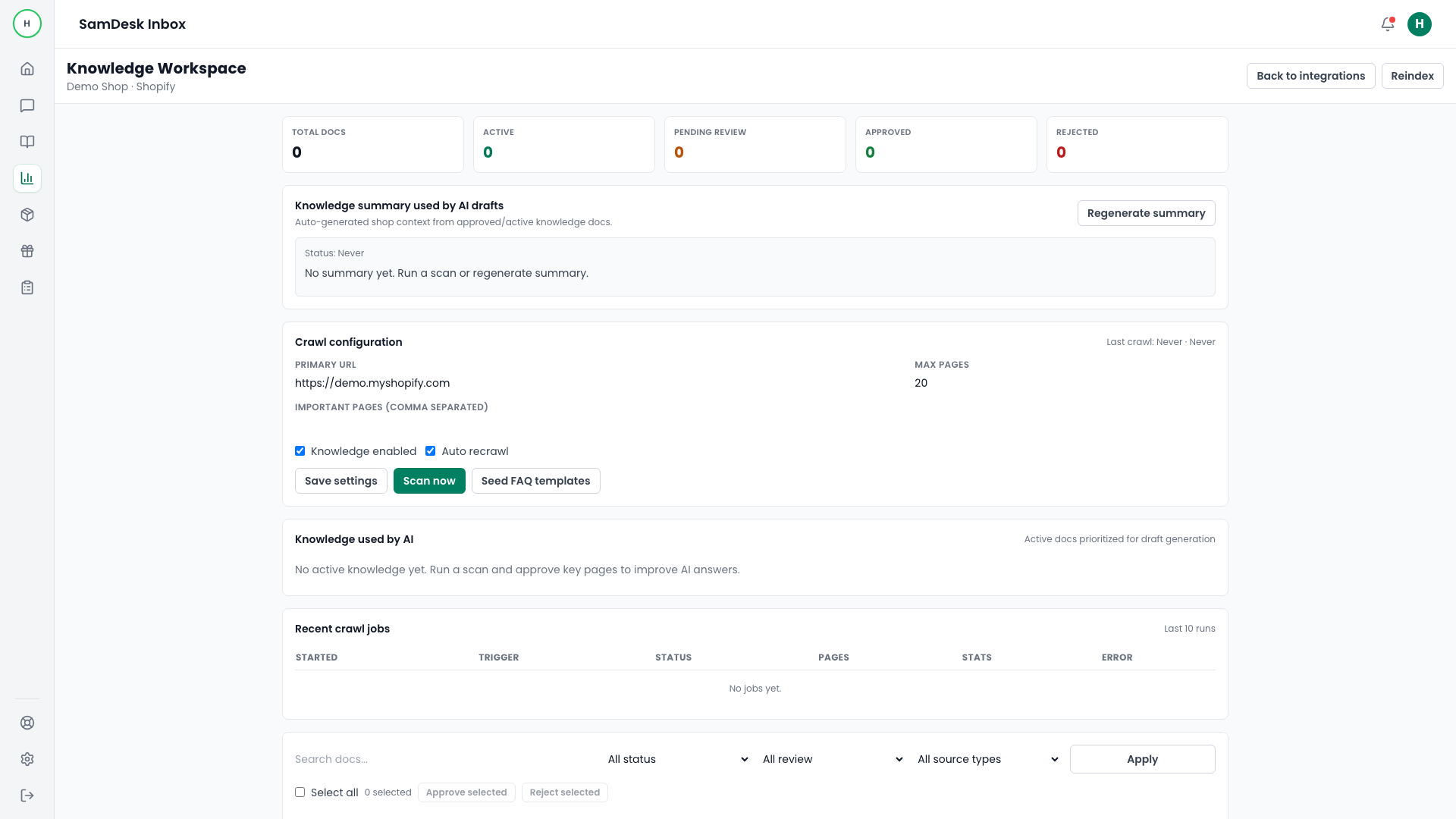
Knowledge Workspace
Set up a knowledge scan
Crawl support-relevant pages so AI uses reliable source material.
Samdesk execution pattern
Use this checklist for consistent case execution:
- Define owner and expected outcome before taking action.
- Work in fixed sequence: triage -> action -> validation -> follow-up.
- Log key decisions briefly so handoffs and escalations stay clean.
Goal
Activate integration-scoped knowledge with controlled crawl scope.
Steps
- Open
Integrationsand enterManage Knowledge. - Set
Primary URLandMax pages. - Enable knowledge.
- Trigger
Scan nowand monitor crawl jobs.
Scope recommendation
- Start with FAQ, returns, and shipping policy pages.
- Exclude low-value marketing pages.
- Use lower page caps in first runs.