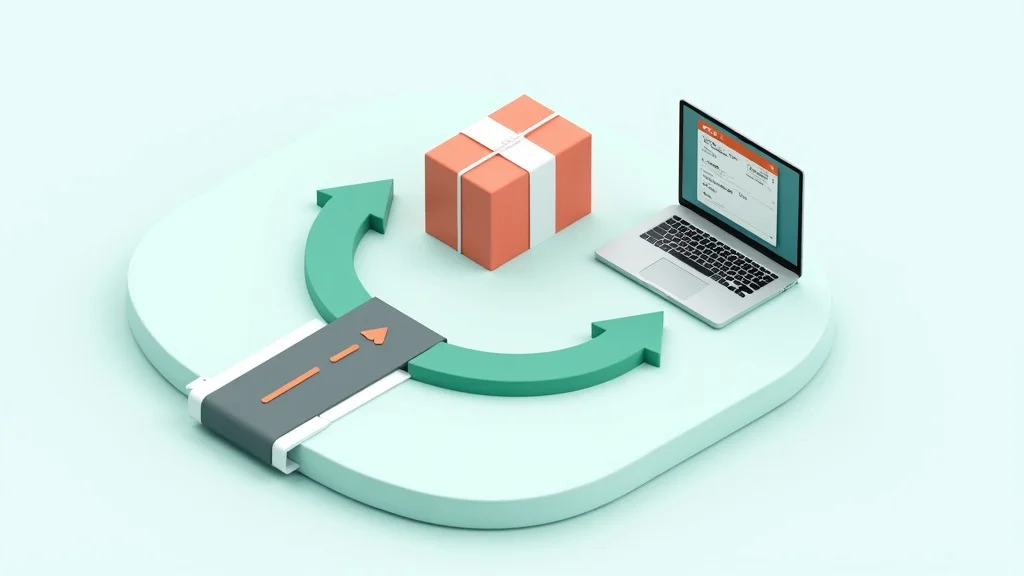
Streamline Return Handling: From Request to Refund
Returns cost you money and time. A streamlined process saves both — and keeps customers coming back.
A customer ordered a jacket last week. It doesn't fit. She sends your support team an email. What happens in the next 72 hours determines whether she ever buys from you again. A smooth return resolved in three days? She'll order again next month. A process that takes four emails, two weeks, and a reminder? She's gone. For good.
Returns are inevitable in ecommerce. Fashion sees return rates between 30 and 40 percent. Electronics hovers around 10-15 percent. On average, one in four online shoppers sends something back. The question isn't whether you'll get returns — it's how efficiently you handle them. And this is where most online stores fall short. Not because they don't care, but because the process grew step by step without anyone ever designing it end to end.
Why returns devour your support team's time
The average return request costs your support team 12-18 minutes. That sounds manageable until you break it down. The customer emails. An agent reads the message, opens Shopify or WooCommerce in another tab, looks up the order, checks the return policy, types a reply with instructions, and attaches a return label. Two days later, the customer emails again: "I shipped the package, when will I get my refund?" Look it up again, check status, reply. Three more days: "Still no refund." Look up again, reply again.
Three messages, three context switches, three manual responses. At 30 returns per week, that's 9-10 hours of agent time. Just on returns. That's more than an entire workday consumed by a process that can be largely automated.
The hidden costs run deeper. Returns that drag on generate more follow-up messages. Every additional email roughly doubles the handling time. And dissatisfied return customers leave negative reviews more often than customers who never had a return. That review costs you more than the return itself.
Step 1: Self-service return portal
The fastest way to cut return tickets is to make sure customers don't need to create one. A self-service return portal — a page on your site where customers enter their order number and initiate a return themselves — removes 40-60% of return inquiries from your inbox.
The portal doesn't need to be sophisticated. Order number plus email for verification. Select a reason from a dropdown. Auto-generate a return label. Send a confirmation email with expected refund timeline. Done.
The investment pays for itself within a month. An average return ticket costs your team $9-14 in agent time. If you handle 50 returns per month and 40% go through self-service, you're saving $180-280 monthly. And the customer is happier because they'd rather handle it themselves than wait in a queue.
Key detail: make the portal findable. Link to it from your order confirmation email, your FAQ page, and your site footer. The best return portals are worthless if customers can't find them and create a ticket anyway.
Step 2: Automated return labels and tracking
The moment a customer initiates a return — through the portal or through your support team — a return label should be ready instantly. Manually creating labels and emailing them is pure waste. Integrate your return process with your shipping software so labels generate automatically.
Next step: tracking. Both the customer and your team need to see where the return package is at any moment. "In transit," "received at warehouse," "inspected," "refund processed" — every status change is a moment when the customer would otherwise email asking "where's my money?"
Proactive status updates cut follow-up messages in half. Send an automatic email when the package is received and a second one when the refund is processed. Two automated emails replace three to four manual responses.
Step 3: Order context directly in your helpdesk
For returns that do come in as tickets, your agent needs everything at their fingertips. Order number, products, order status, payment method, shipping details, previous returns — without switching tabs.
This is where a Shopify or WooCommerce integration makes the difference. The agent opens the ticket and sees the order details right alongside the customer's message. No separate tab, no copying and pasting order numbers, no searching in another system. Average handling time per return ticket drops from 12-18 minutes to 4-6 minutes.
For returns specifically, purchase history is crucial. A customer returning something for the third time deserves a different conversation than a first-time buyer. Maybe there's a sizing issue you can solve with better product photos. Maybe they're a serial returner who you'd be better off offering an exchange rather than a refund. That context transforms a reactive support team into a proactive one.
Step 4: Ticket workflows for return processing
Every return follows the same steps: request, approval, shipping, receipt, inspection, refund. Six steps that you can map as a ticket workflow. The agent doesn't need to remember what comes next — the system shows it.
Set up workflows that automatically trigger actions. Return received at warehouse? Ticket status shifts to "inspection." Inspection approved? Refund gets queued. Refund processed? Customer gets an automatic notification, ticket closes.
Workflows also make escalation seamless. A return stuck on "received" for more than 5 business days automatically escalates to the team lead. No manual checking required — the system tracks what's falling behind.
Bonus: workflows give you data. How long does each step take on average? Where are the bottlenecks? If inspection consistently takes 3 days while refund processing takes 2 hours, you know exactly where to optimize. Without a workflow, you're guessing.
Step 5: Refund triggers and communication
The refund is the moment of truth. Too slow and your customer is irreversibly dissatisfied. Too fast and you risk losses on fraudulent returns. The sweet spot: process refunds within 48 hours of inspection approval.
For orders below a certain threshold — say $50 — consider refunding immediately upon receipt, skipping inspection entirely. The cost of an occasional fraudulent return doesn't outweigh the time savings and customer satisfaction. Many large retailers already operate this way. Under $30, some don't even require the product back.
Communication around the refund matters as much as speed. Send a confirmation with the exact amount and expected processing time. "Your refund of $67.50 has been processed and will appear in your account within 3-5 business days." Concrete, specific, no room for uncertainty.
And here's the surprise move: use the refund moment as an opportunity. Add a personal touch. "Sorry the jacket didn't work out. Our new collection drops next week — want us to let you know?" One sentence that turns a disappointed customer into a returning buyer.
Return rate as a KPI
Everything above is about process. But the best return process is one you need less often. Your return rate is a KPI that looks beyond support — it tells you something about your product, your product pages, and customer expectations.
If your return rate is above industry average, three causes are most likely:
- Product photos don't match reality. Colors that look different in person, sizes that aren't clear, materials that appear different on screen.
- Size guides are missing or inaccurate. The number-one reason for fashion returns.
- Product descriptions are too vague. "Great quality" means nothing. "100% cotton, 180 gsm, true to size" prevents returns.
Track your returns by product and by reason. If three out of ten buyers of the same shirt return it for sizing, that's not a support problem. That's a product page problem. Fix it there and you save your team dozens of tickets per month.
From cost center to customer opportunity
Return handling feels like a cost center. And it is — when you treat it as a necessary evil. But the smartest online stores see returns as an investment in customer loyalty. A smooth return proves you stand behind your product. It lowers the barrier for the next purchase. And it saves your team hours per week they can spend on higher-value work.
Start with the step that delivers the most impact: order context in your helpdesk. That alone cuts handling time per return ticket by 50%. Build your self-service portal and workflows from there. Try SamDesk free and discover how order integration and ticket workflows transform your return handling.
Ready to improve your customer service?
Start free with SamDesk and experience how AI empowers your support team.
Try SamDesk free