CRM definition (plain English)
A CRM system is a central database + workflows for everything related to customer relationships: contact data, communication, deals, orders, support history, and segments. The real value: your team sees one truth and can automate follow-ups.
CRM software vs CRM tools vs CRM system
CRM tools
Individual capabilities (e.g., contact management, email templates, segmentation).
CRM software
A product that bundles tools + workflows + permissions.
CRM system
The single source of truth including integrations with support and order data.
Pitfall
A CRM that’s just an address book → no ROI.
Customer Relationship Management (CRM) in practice
CRM isn’t about “more data”—it’s about better decisions: who needs attention, who’s at risk of churn, which issues repeat, and which segments repurchase. In ecommerce, CRM should connect to support: tickets, chat, and order context.
The 10x CRM checklist (what competitors often miss)
- One customer view: contact + orders + tickets + conversations
- Workflows: ownership, SLAs, escalations, follow-ups
- Segmentation: VIP, return risk, churn signals
- Knowledge + templates: consistent replies, less repetition
- Measurement: FRT/TTR/CSAT + retention (not just “activity”)
What types of CRM exist? (operational / analytical / collaborative)
Operational CRM
Workflows, follow-ups, tasks, pipelines, automation.
Analytical CRM
Segments, churn signals, cohorts, LTV, dashboards.
Collaborative CRM
Sharing customer context across support, sales, and marketing.
CRM implementation in 14 days (without a months-long migration)
- Days 1–3: data model (contact fields), tags, basic segments.
- Days 4–7: integrations (store + inbox), templates, workflows (ownership + SLA).
- Days 8–14: dashboards + QA: measure FRT/TTR/CSAT and retention signals.
SamDesk vs classic CRMs (where support feels the difference)
Many CRMs (think HubSpot/Salesforce/Pipedrive) are built for sales. In ecommerce support, you need something else: order context next to the conversation, ticket history, and templates/workflows that reduce response times.
Classic CRM focus
Deals/pipeline, contact activity, marketing automation.
SamDesk CRM-in-support
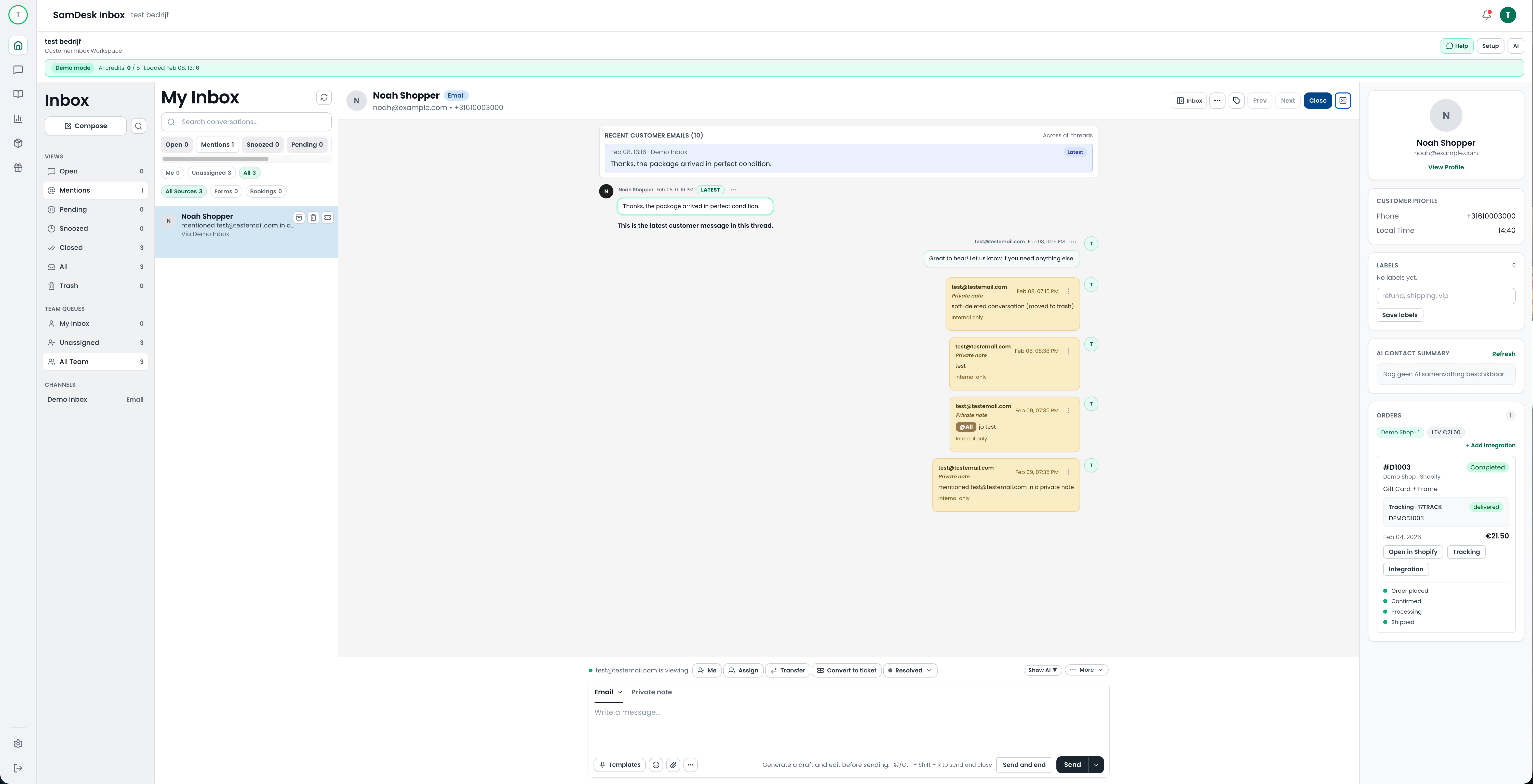
Inbox + tickets + customer profile with order context + knowledge base + workflows.
FAQ: what is CRM?
What does CRM stand for?
CRM = Customer Relationship Management.
What is a CRM system?
Software that unifies customer data + processes, including follow-ups and integrations.
What does CRM mean for customer support?
Faster support via context (orders + history) and less repetition via templates/workflows.
