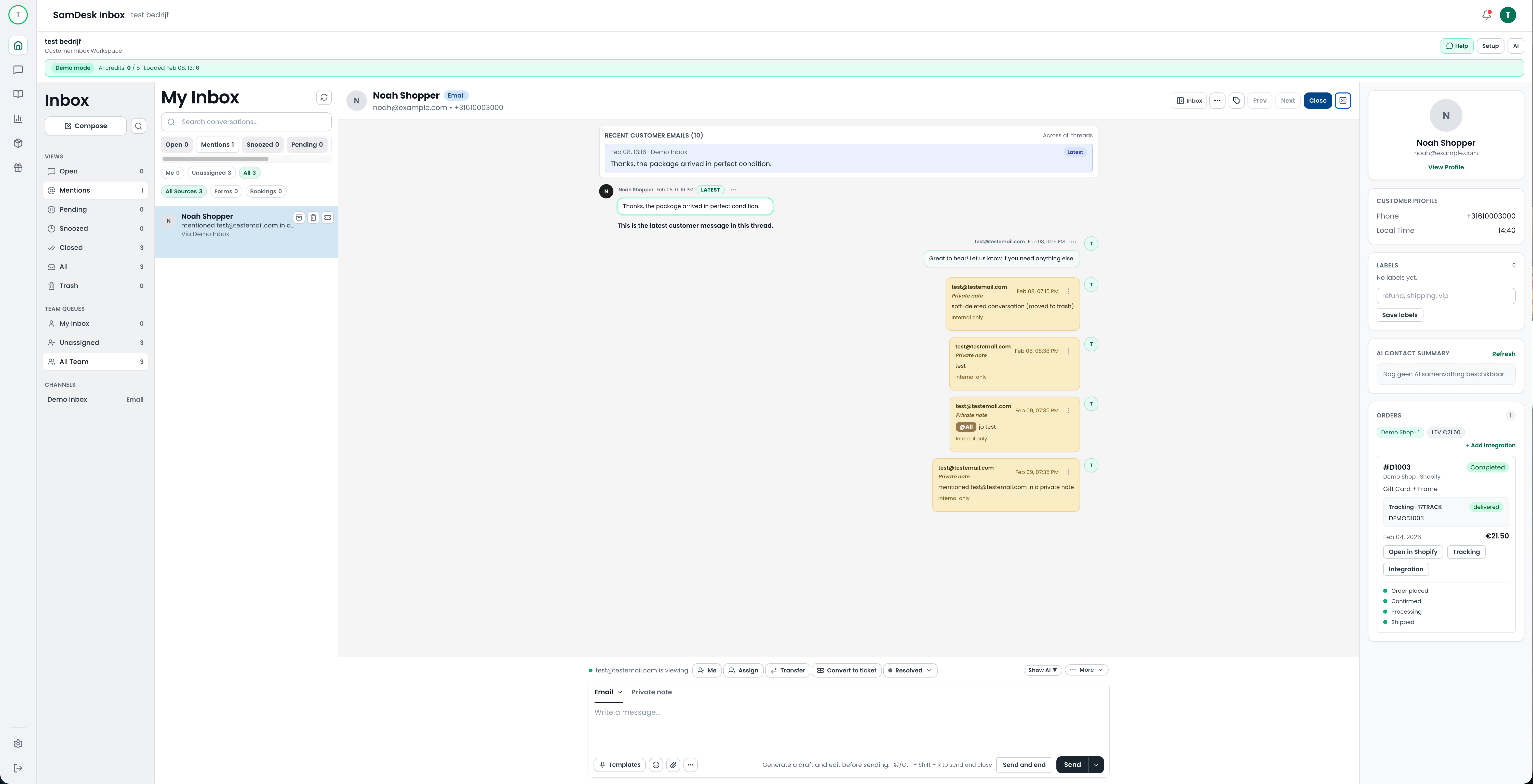
SamDesk customer service dashboard with inbox, workflow states, and team context
Migration Program
Book a Calendly intro call. After that, we personally guide your team through CRM integration, setup, and go-live for your full customer service operation in SamDesk.
This is built for support leads and operators who want a low-risk migration path: you can run SamDesk in parallel with your current CRM until your team is ready.
After the intro call, you receive a concrete migration and integration plan for your team.
SamDesk customer service dashboard with inbox, workflow states, and team context
We centralize email, chat, and customer context into one operational inbox so your team works from one core workspace.
We convert your current process into clear ticket states, labels, priorities, and escalation rules.
We configure AI draft replies, summaries, and knowledge sources so speed and quality improve together.
We define which inboxes, workflows, and customer data move first and create a phased migration roadmap.
We connect your CRM/support stack to SamDesk and configure workflows, labels, AI features, and reporting.
Your team gets guided rollout support while SamDesk runs in parallel with your current CRM.
When KPI performance is stable, you complete the transition and optimize for speed, quality, and scale.
Available after the intro call
If you choose the Growth yearly plan after the Calendly intro, you get 2 months free on the annual plan.
Yes. We use the Calendly call to define scope and timeline, then begin phased integration.
Yes. The rollout is designed so you can run both systems in parallel before final cutover.
Teams that want to centralize their full customer service operation and scale with better control.
When you choose the Growth yearly plan after the intro call within the agreed implementation path.

Want to connect SamDesk to your workflows and launch faster with your team? Book a call or watch practical product walkthroughs on our YouTube channel.