What is a help desk (and why it matters)?
A help desk is the process + tooling used to handle support requests. Many teams run multiple help desks (e.g., ecommerce support, internal IT). With modern help desk solutions like SamDesk, you organize intake, priority, ownership, and follow-up.
Help desk agent workflow (what agents need)
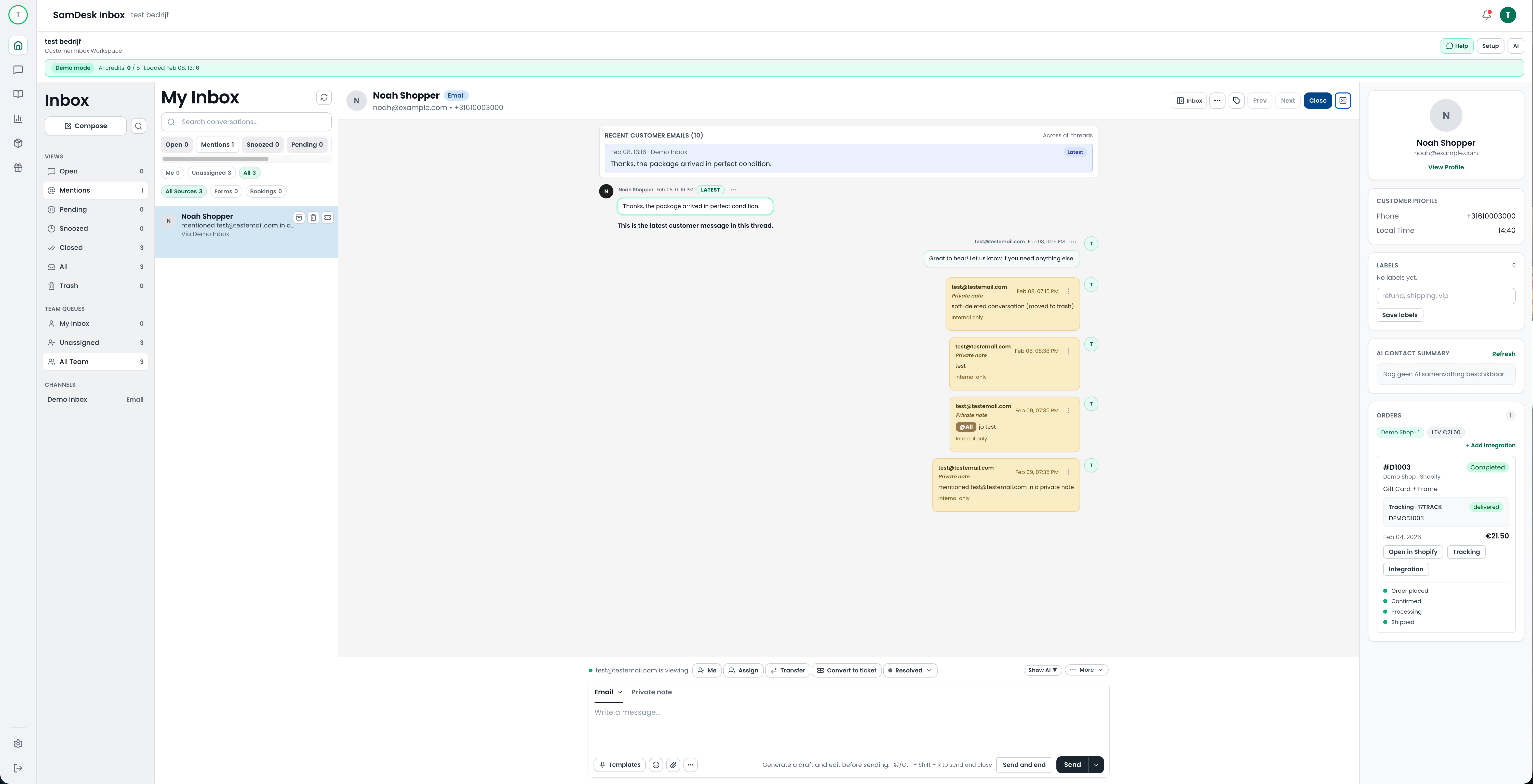
A help desk agent wins time in three places: (1) triage, (2) context, (3) consistent answers. SamDesk combines ticketing, customer context, and a knowledge base so agents click less and close faster.
- Fast categorization (tags) + assignment
- Context: customer + order + history
- Knowledge base snippets + AI drafts
Automated help desk: where automation works
An automated help desk isn’t about letting AI do everything. It’s about standardization: routing, SLAs, templates, and agent assistance. Start with tier 1: deflect repetitive questions with a knowledge base. Then add drafts, summaries, and smart tagging.
Help desk for IT: handling IT support tickets without noise
For a help desk for IT, you need clean intake (forms or inbox), clear priority, and fast escalation. Think tier 1 help desk for basics (passwords, access, resets) with handoff to specialists.
Help desk software solutions: the 10x checklist
Most help desk tools promise “inbox zero” but fail on fundamentals. Here’s what a modern help desk must nail (and what SamDesk is built around):
Intake that doesn’t leak
Email, forms, and handoffs land in one queue—nothing gets lost.
Ownership + SLA
Every ticket has an owner, status, and deadline—no open-ticket rot.
Context for the help desk agent
Customer + order + history instantly available. Fewer questions, faster closes.
Automated help desk (for real)
Routing, templates, summaries, and AI drafts. Not “AI answers everything”.
SamDesk vs Zendesk, Freshdesk and Jira Service Management
Quick competitor scan: Zendesk positions broad (CX + AI), Freshdesk leans into “people-first + AI”, and Jira Service Management is strong for IT/service-management teams. SamDesk positions help desk + ticketing as an operation: context + knowledge + workflows, with staged AI.
| Compare on | SamDesk | Zendesk | Freshdesk | Jira SM |
|---|---|---|---|---|
| Ticket workflows | Built-in, speed-first | Broad, many modules | Strong out-of-box | Great for IT teams |
| Help desk for IT | Possible, support-ops first | Yes | Yes | Core strength |
| Automated help desk | Staged AI + guardrails | AI-first positioning | AI assistant messaging | Automation for service teams |
Anti-cannibalization tip
Use this hub for generic “help desk” intent. For “how it works in-app”, let the feature page rank.
See Ticket Workflows (feature) →FAQ
What are help desk solutions?
Help desk solutions are tools + processes to manage support tickets: intake, routing, SLAs, replies, and reporting.
How do I keep a help desk from becoming slow?
Combine context + knowledge base + workflows. Deflect tier 1 questions via self-serve and give agents templates/drafts.
