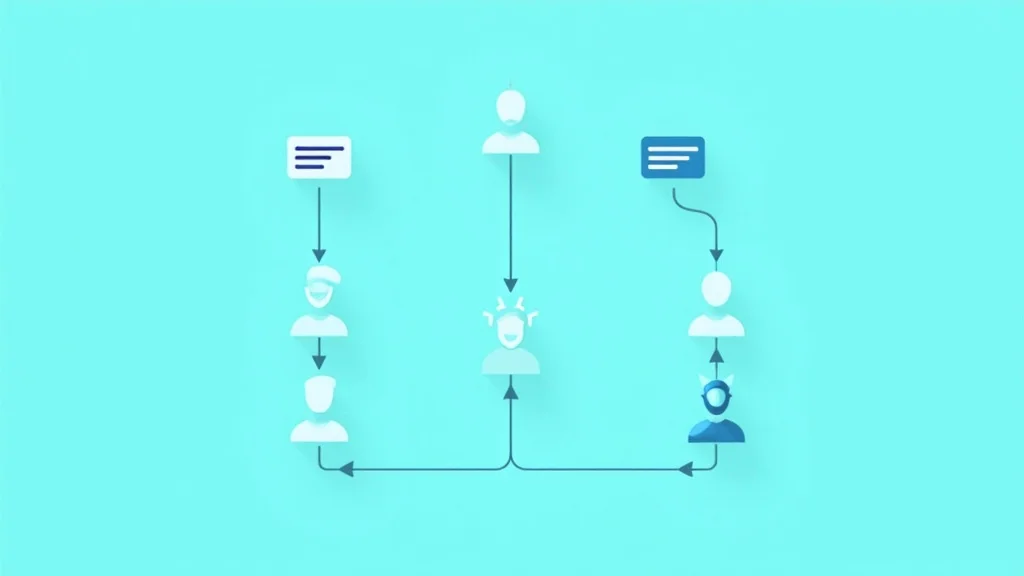
Automatic Conversation Routing with Smart Assignment Rules
Stop assigning tickets manually. Smart routing ensures every question reaches the right agent — automatically.
Monday morning, 9 AM. Your inbox shows 83 unread messages. Three agents are online. Who gets what? If the answer is "whoever grabs it first" — you have a routing problem. The agent who clicks fastest doesn't pick the right ticket. The return request lands with your technical specialist. The complaint in Spanish reaches someone who only speaks English. And that angry VIP customer with a $1,200 order? Buried between "where's my package?" questions, unseen for two hours.
Manual assignment works at 20 tickets per day. At 80, it breaks. Automatic conversation routing isn't a luxury for enterprise teams — it's the foundation for any support operation that wants consistently fast, relevant answers.
Why manual assignment doesn't scale
The failures of manual assignment are predictable. First: cherry-picking. Agents choose tickets they find easy or interesting. Simple questions get snapped up immediately. Complex complaints sit untouched. Your average response time looks fine, but the median tells a different story — and the median is what your toughest customers experience.
Second: uneven workload. Without routing rules, one agent ends up with 25 tickets while another handles 12. Not because the second one is lazy, but because the first clicks faster. That imbalance breeds frustration, burnout, and eventually turnover.
Third: lost context. When everyone grabs from the same pile, an agent opens a ticket about an order that a colleague was already handling yesterday. That context is gone. The customer repeats everything. Handling time doubles.
At three agents, these problems barely register. At six, they become visible. At ten, they're unsustainable. The frustrating part: the fix isn't complicated. It takes an afternoon of setup and delivers immediate results.
Round-robin: the simplest starting point
Start here if you currently have no routing at all. Round-robin distributes incoming conversations evenly across available agents, in order. Agent A gets ticket 1, Agent B gets ticket 2, Agent C gets ticket 3, then back to Agent A.
The big advantage: it eliminates cherry-picking instantly. Nobody chooses which tickets they handle — the system distributes. Workload is equal by design. And it takes roughly five minutes to configure in your unified inbox.
Round-robin works well for teams of up to 5 agents where everyone has the same skill set. A generalist team that can handle any question type. Once you have specializations — someone who handles technical questions, someone who processes returns — you'll hit the limits. Your return specialist gets just as many technical questions as return questions, defeating the purpose.
Another limitation: round-robin ignores complexity. A ticket that takes 2 minutes and a ticket that takes 20 minutes both count as 1. The agent who happens to get three complex tickets in a row falls behind while a colleague breezes through three simple ones in ten minutes.
Still, round-robin is the right first step for many teams. It's better than nothing, quick to implement, and gives you data to see where you need refinement.
Skill-based routing: the right question to the right agent
This is where the real gains happen. Skill-based routing assigns conversations based on what the agent does best, not who's next in line. Return questions go to the logistics specialist. Technical issues route to product support. German-language inquiries reach the German-speaking agent. Billing questions land with someone who has access to the financial system.
Setup requires two things. First: define your agents' skills. Create tags — "returns," "technical," "billing," "Spanish," "French" — and assign them to the appropriate team members. Second: create routing rules that match incoming messages to those tags.
The matching can work several ways:
- By topic. Messages containing "return," "send back," or "exchange" go to agents tagged "returns."
- By language. Automatic language detection routes messages to agents who speak that language.
- By channel. Live chat goes to agents who type fast. Email to agents who write thorough responses.
- By customer segment. VIP customers (orders above $500) route to your most experienced agents.
The impact on first-contact resolution (FCR) is immediately measurable. Teams that switch from round-robin to skill-based routing typically see FCR climb from 65% to 80%. That means more customers helped on the first interaction, fewer transfers, fewer "let me check and get back to you" responses.
A common mistake is creating too many tags. Start with 3-5 broad categories. You can always refine later. Overly granular routing leads to tickets that match no agent and end up back in the general queue anyway.
Priority routing: urgent messages first
Round-robin and skill-based routing determine who gets a ticket. Priority routing determines when — which tickets sit at the top of the queue. Combining all three gives you a system that distributes intelligently and prioritizes strategically.
Prioritization works on signals:
- Sentiment. A customer who's angry or frustrated — detected via AI sentiment analysis — automatically gets higher priority. That customer isn't waiting patiently. Every extra minute of wait time makes the conversation harder.
- SLA deadline. Tickets approaching their SLA threshold move up. A chat message that's been waiting 90 seconds when your SLA is 2 minutes needs to be picked up now.
- Customer value. Customers with high lifetime value or large open orders get priority. Not because other customers matter less, but because the commercial risk is higher.
- Issue type. Payment failures and undelivered orders are inherently more urgent than product questions.
The power of priority routing is that your team no longer needs to scan the queue deciding what's most important. The system does it. The agent opens their inbox, sees the top ticket, and knows: this is the most important thing right now. That cognitive relief is undervalued. Agents who don't have to choose work faster and make fewer mistakes.
One caution: priority routing without capacity planning backfires. If P1 tickets always get priority but 40% of your tickets are P1, you don't really have a prioritization system — you have a new kind of queue. Keep P1 exclusive. No more than 10-15% of tickets should be priority 1.
Setting up routing without the complexity
Most teams delay routing because it seems complicated. It doesn't have to be. Here's a practical plan for an afternoon's work.
Hour 1: Analyze your ticket data. Pull last month's tickets. Categorize them into 4-5 groups: returns, technical, order/delivery, billing, other. Note what percentage falls into each group.
Hour 2: Define agent skills. Assign each agent 1-3 primary skills. Make sure every category has at least two agents (to cover sick days and vacations). Set a fallback: if no agent with the right skill is available, the ticket goes to the general pool.
Hour 3: Configure routing rules. Set up the rules in your helpdesk. Start with the two largest categories. Let everything else run on round-robin. Test with a handful of tickets.
Week 1-2: Monitor and adjust. Check daily whether tickets are routing correctly. Which tickets fall outside the rules? Which agents are getting too many or too few? Adjust accordingly.
Week 3-4: Add prioritization. Now that routing is stable, layer in priority levels. Start with two: normal and urgent. Refine to P1-P4 later if your volume warrants it.
The beauty of this approach is that you can stop at any point. Round-robin alone is an improvement. Round-robin plus two skill categories is better. The full model with prioritization is best. But you don't need to do everything at once.
The quiet win: agent satisfaction
There's one benefit of automatic routing that rarely gets discussed. Agents who know they'll receive tickets that match their expertise are happier. They feel competent, work faster, and experience less stress. The return specialist who processes returns all day builds deep expertise and gets better at it continuously. The generalist who gets random tickets every day never develops real mastery in any area.
Agent satisfaction translates directly to customer satisfaction. Happy agents give better answers, show more patience, and stay with your team longer. The investment in routing pays off not just in speed and FCR, but also in lower turnover and reduced hiring costs.
Start today
If you have no routing right now, turn on round-robin today. Takes five minutes. If you already run round-robin, identify your top 2 ticket categories and create skill-based rules for them. That's an afternoon's work with months of payoff.
Want to see how automatic routing, ticket workflows, and AI support work together in one inbox? Try SamDesk free and experience what structured assignment does for your team.
Ready to improve your customer service?
Start free with SamDesk and experience how AI empowers your support team.
Try SamDesk free