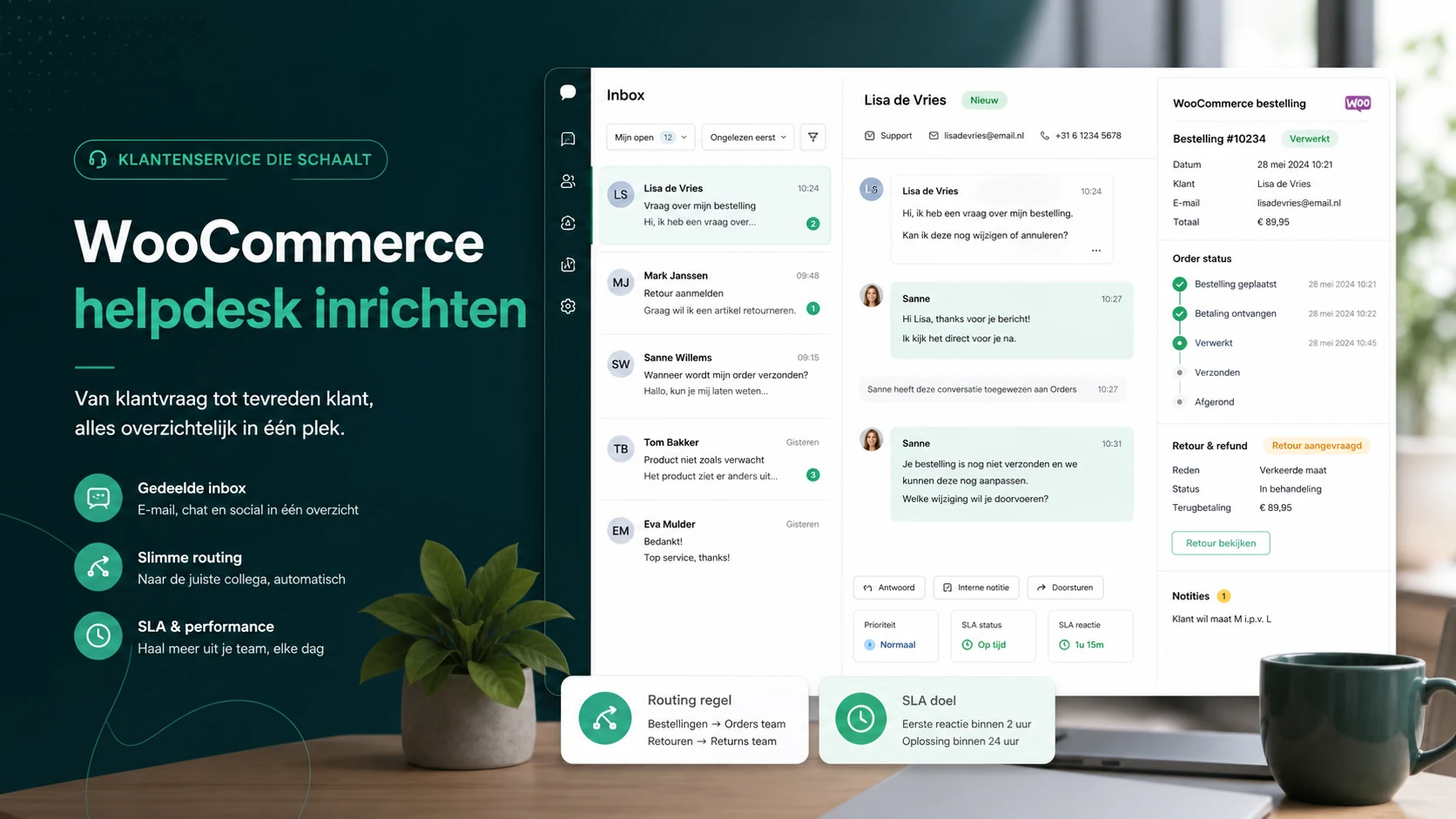
How to set up a WooCommerce helpdesk: the context every ticket needs
A WooCommerce helpdesk only works when order status, customer history, returns, refunds, and ownership are visible next to the conversation.
A WooCommerce helpdesk is not just an inbox with a WooCommerce link next to it. The point is that an agent can see who the customer is, which order matters, what the current status is, and what the next action should be within a few seconds.
If the agent still has to switch between WooCommerce, Gmail, a carrier portal, and a spreadsheet, the helpdesk has only added another screen.
The right setup starts with order context. Automation comes later.
What every ticket should show
Start with the data an agent needs in most WooCommerce conversations:
- customer name and email
- latest three orders
- order number and order date
- payment status
- fulfillment status
- shipment status and tracking link
- return or refund status
- previous conversations with the same customer
- internal notes for exceptions
More fields are not automatically better. Margin, campaign source, and full order history can be useful for analysis, but they often slow agents down during live support.
The practical test is simple: take ten real tickets about shipping, returns, and refunds. Can an agent answer them without opening WooCommerce separately? Then the context layer is good enough to go live.
Split order questions into workflows
WooCommerce support often gets messy because every question stays in one inbox. A delayed shipment needs a different follow-up than a refund question or a damaged product.
Use at least four workflows:
Order status. Check status and tracking, send a clear update, and schedule a follow-up if the carrier has not scanned the parcel.
Return. Show return status, instructions, and previous return messages. Keep the ticket open until the return path is clear.
Refund. Give refund questions an owner with payment context. Do not close the ticket until timing and next action are clear.
Damaged or wrong product. These tickets often need photos, order lines, and internal escalation. Do not treat them like regular shipping questions.
SamDesk supports this through the Shopify and WooCommerce helpdesk layer and the Shopify/WooCommerce context feature.
Tags that are worth using
Tags only help when you use them to make decisions later. Start small:
- order status
- return
- refund
- damaged product
- address change
- product question
- complaint
- VIP or B2B customer
After two weeks, check which tags create volume. If "order status" is 35 percent of the inbox, you do not have a tag problem. You have a communication opportunity: better shipping emails, tracking updates, and self-service.
Templates should add context, not hide it
A template like "Thanks, we are looking into it" does not help much. Strong WooCommerce templates include concrete fields:
- order number
- current status
- expected next step
- timing
- what the customer does or does not need to do
Example:
> Your order #12345 was handed to the carrier yesterday. Tracking has not updated yet. We will check again tomorrow morning; if there is still no scan, we will open an investigation.
That answer prevents a repeat message because the customer knows what will happen next.
KPIs for WooCommerce support
Do not only measure first response time. WooCommerce teams should also track:
- repeat contacts about order status
- tickets per 100 orders
- return questions per 100 returns
- refunds without a clear owner
- tickets older than 24 hours
- first-contact resolution per question type
These metrics show where the operation leaks. A fast first response is useful, but if customers need three messages for one refund, support is still expensive.
When SamDesk fits
SamDesk fits WooCommerce teams that want fewer context gaps, not just faster replies. The core setup is one workspace for inbox, customer profile, order information, workflows, and AI drafts.
Review the WooCommerce helpdesk option, compare pricing, or contact SamDesk if you want to map the setup to your ticket volume.
Frequently asked questions
What should a WooCommerce helpdesk show by default?
At minimum: customer details, recent orders, payment status, fulfillment status, tracking, return/refund status, and previous conversations.
Is WooCommerce order data enough for good support?
No. Order data is the base layer. Teams also need ownership, ticket statuses, templates, internal notes, and KPIs.
When do stores need a separate helpdesk next to WooCommerce?
Usually around 30 to 50 customer questions per day, or earlier when multiple people handle returns, shipping questions, and refunds.
Want to see SamDesk in action?
Schedule a personal demo and discover what SamDesk can do for your team.
Book a demo